Tenant and assistant
What a tenant is, the five-step assistant and when you need several.
The period is the previous month, the current month or a custom one. The document date counts, the payment date under cash-basis taxation.
your-shop.com/admin
Period
August 2026September 2026Custom period
From01.08.2026
To31.08.2026
The document date counts. Already exported documents are skipped automatically; the file is then ready to download from the run and is kept in the history.
Start the export
Create previewShows totals and rows. Produces no file and locks no document - the history lists it as a preview.
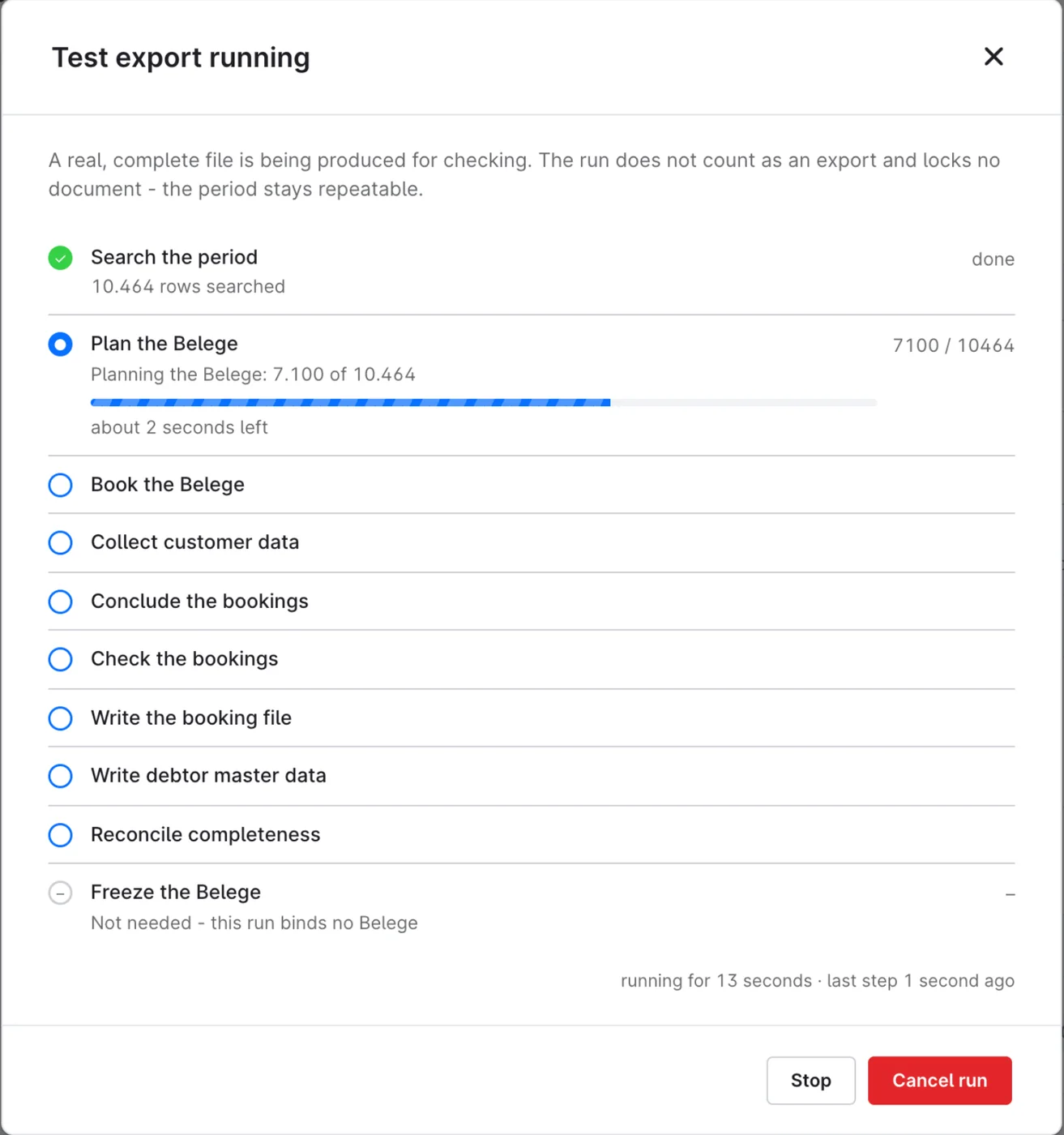
Create test exportProduces a real, complete file for checking. The run does not count as an export and the documents stay free - the file header says "Testexport".
Create exportBinding: writes the file and locks the documents against a second export.
Advisor info sheet (PDF)How bookings are formed, which accounts and number ranges are used, what the export deliberately leaves out and how to import the file.
The progress window shows every step from searching the period to the document packages, with a bar and the time left. The run computes while the window is open. "Stop" closes it and the run stays where it was; "Show" on the notice about the unfinished export opens it again and "Continue" carries on. Runs from the console or the schedule are only shown.
The work is done in steps of 250 documents, so every request stays within the web server's time limit. A slow server gets smaller steps in the settings.
Previews, test exports and runs without a file stay listed too: they are the proof that a period was checked and why no file was created.
| Kind, progress or outcome | Meaning |
|---|---|
| Preview | The same check without a file; locks nothing. |
| Test export | A real, complete file whose run does not count; the file header says "Testexport". |
| Binding export | The file for the tax firm. The run locks its documents and chains itself to its predecessor. An email goes out through the schedule or with --mail on the console, never from the admin. |
| Given up | Was binding and was given up as a test run. File and protocol stay, its documents are free again. |
| Cancelled | Ended early. If the documents were already locked, the export counts and only document packages are missing; otherwise it does not count. |
| Failed | Never locked, does not count. Do not use a downloaded file; export the period again. |
| Successful | File created, no finding. |
| With findings | File created, with notices that do not stop the export. A run without a new booking ends like this too, then without a file: a period without documents or one whose documents were all exported already. |
| Error | No file - at least one finding blocks. Export the period again after the correction. |
your-shop.com/admin
Orders › DATEV export › History
Export history
| Created | Tenant | Period | Kind | Outcome | Bookings | ||
|---|---|---|---|---|---|---|---|
| 01.09.2026 06:00 | Muster Handels GmbH | 01.08.2026 - 31.08.2026 | Binding export | Successful | 1.311 | sent | Give up as a test run |
| 28.08.2026 14:12 | Muster Handels GmbH | 01.08.2026 - 31.08.2026 | Test export | With findings | 1.311 | - | |
| 28.08.2026 14:05 | Muster Handels GmbH | 01.08.2026 - 31.08.2026 | Preview | Error | 0 | - | |
| 15.07.2026 10:30 | Muster Handels GmbH | 01.06.2026 - 30.06.2026 | Given up | Successful | 987 | - |
"Give up as a test run" in the row menu takes a binding run back; only then can it be deleted. If the tax firm has already booked the file, that changes nothing there - agree it beforehand.
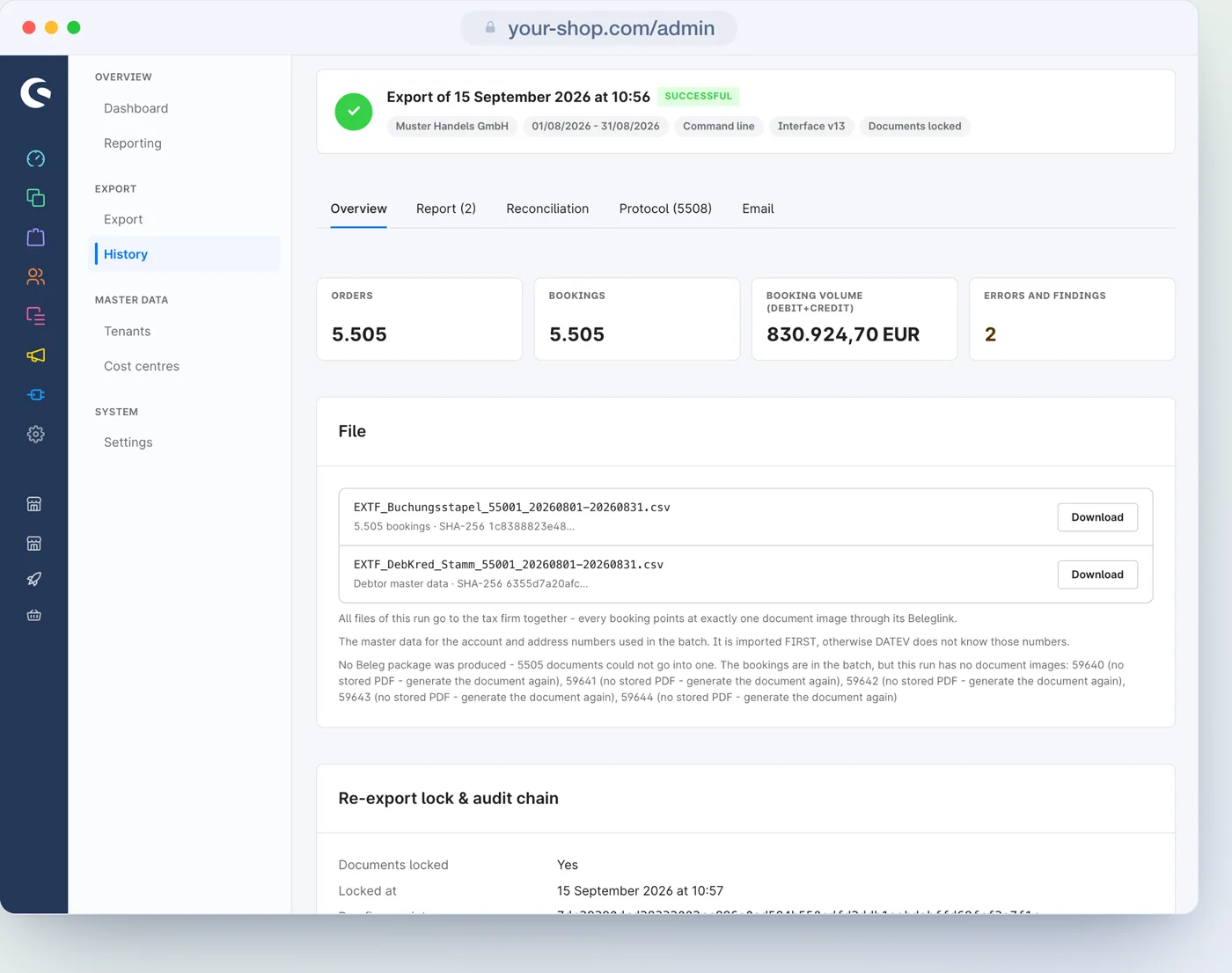
Overview, check report, reconciliation, protocol and email.
Because an error stopped it, or because there was nothing to book in the period. Both are in the history; the check report names the reason.
Yes. Every file and every document package stays with its run, each with its own checksum.
What a tenant is, the five-step assistant and when you need several.
Revenue, cash, shipping and voucher accounts, the four ways to the debtor and the cost centres.
Errors that stop and notices that do not - and the way to fix each one.
Every setting on the tenant and the global switches, with default and effect.
Booking batch, general reversal, freeze and the other words from DATEV and Shopware.