DATEV export
  1. Home
  2. Checks and tracing

Checks and tracing See it first, then write it.

The export calculates the whole period before it writes a file, checks its own result and records for every document why it was booked that way. If something is wrong, no file is created - neither half a one nor a wrong one.

Three ways to run

Preview, test export, export.

All three calculate the same period with the same rules. They differ in what remains afterwards.

PropertyPreviewTest exportExport
File for DATEVnoyesyes
Check report and protocolyesyesyes
Reconciliation for completenessnoyesyes
Locks the documentsnonoyes
Hash chain (SHA-256)nonoyes
Repeatableany number of timesany number of timesonly takes stragglers

The file header of a test export says "Testexport" - DATEV shows it on import, so a mix-up with the binding file stands out.

Check report

Says what is missing. And where.

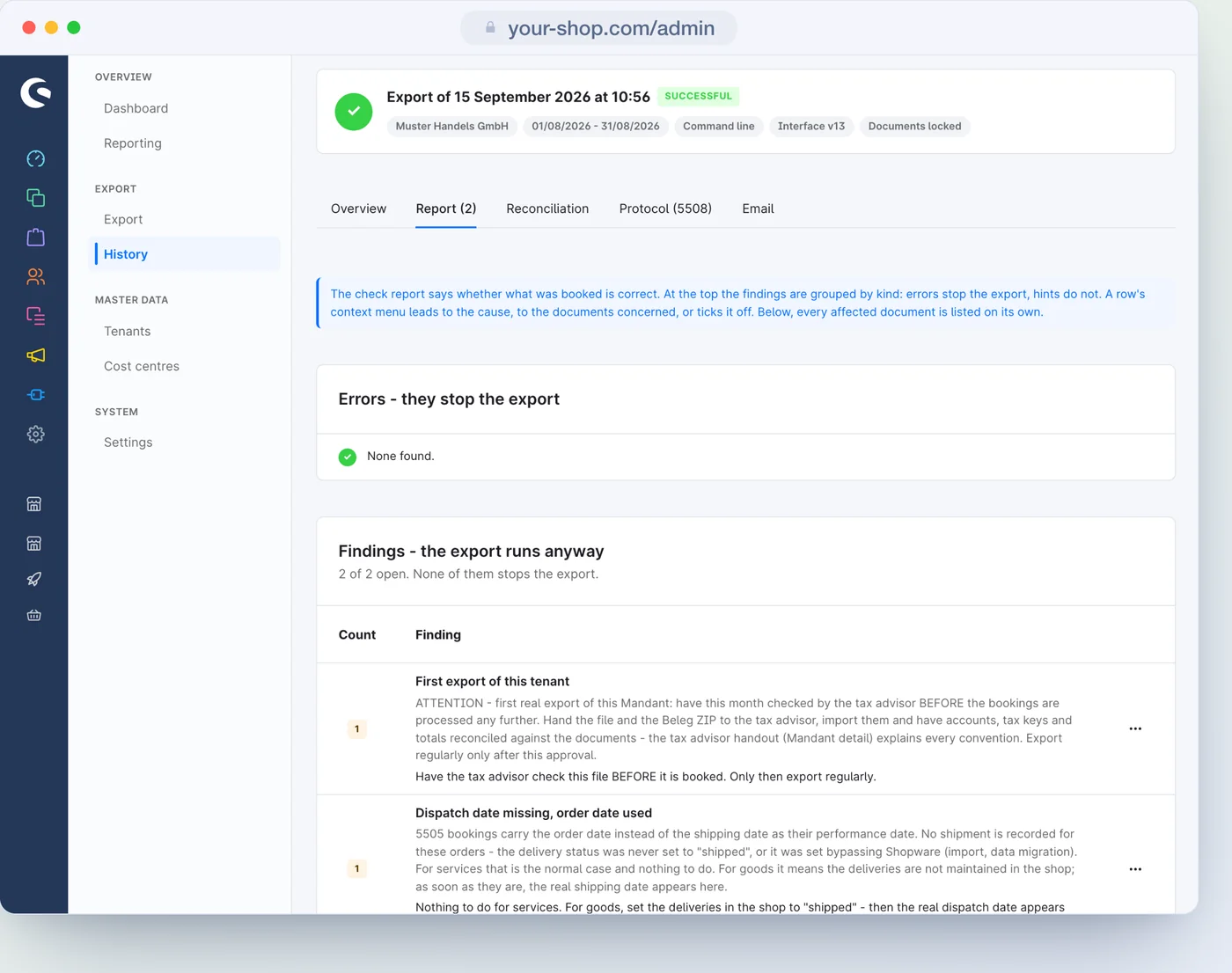
At the top are the findings by kind, split into errors that stop the export and notices that let it carry on; below, every affected document on its own. Every finding explains the cause and leads to the place where it can be fixed.

  • An error means: no file. After the correction, simply export the same period again.
  • Notices can be ticked off. They stay visible but no longer count as open; errors can never be ticked off.
  • With the switch "Warnings block the export" on the tenant even a notice stops the file, except pure process notices such as the one on the first export - for tax firms that only accept fully clean batches.
  • The whole report can be downloaded as a CSV.
Check report of a run with notices that do not stop the export

Common notices

  • Standard account used: a foreign case without its own account, booked to the standard account of the chart of accounts
  • Already exported documents skipped
  • A later invoice for the same order - only the later one is booked
  • Partial payment not booked automatically, payment without a document, document for 0.00
Common errors

  • A document already exported has changed
  • Tax case not decidable, say an order without a country
  • An account is missing, or line items have no price or no tax data
  • A difference between the booked amount and the order value
Blocked

Better no file than a wrong one.

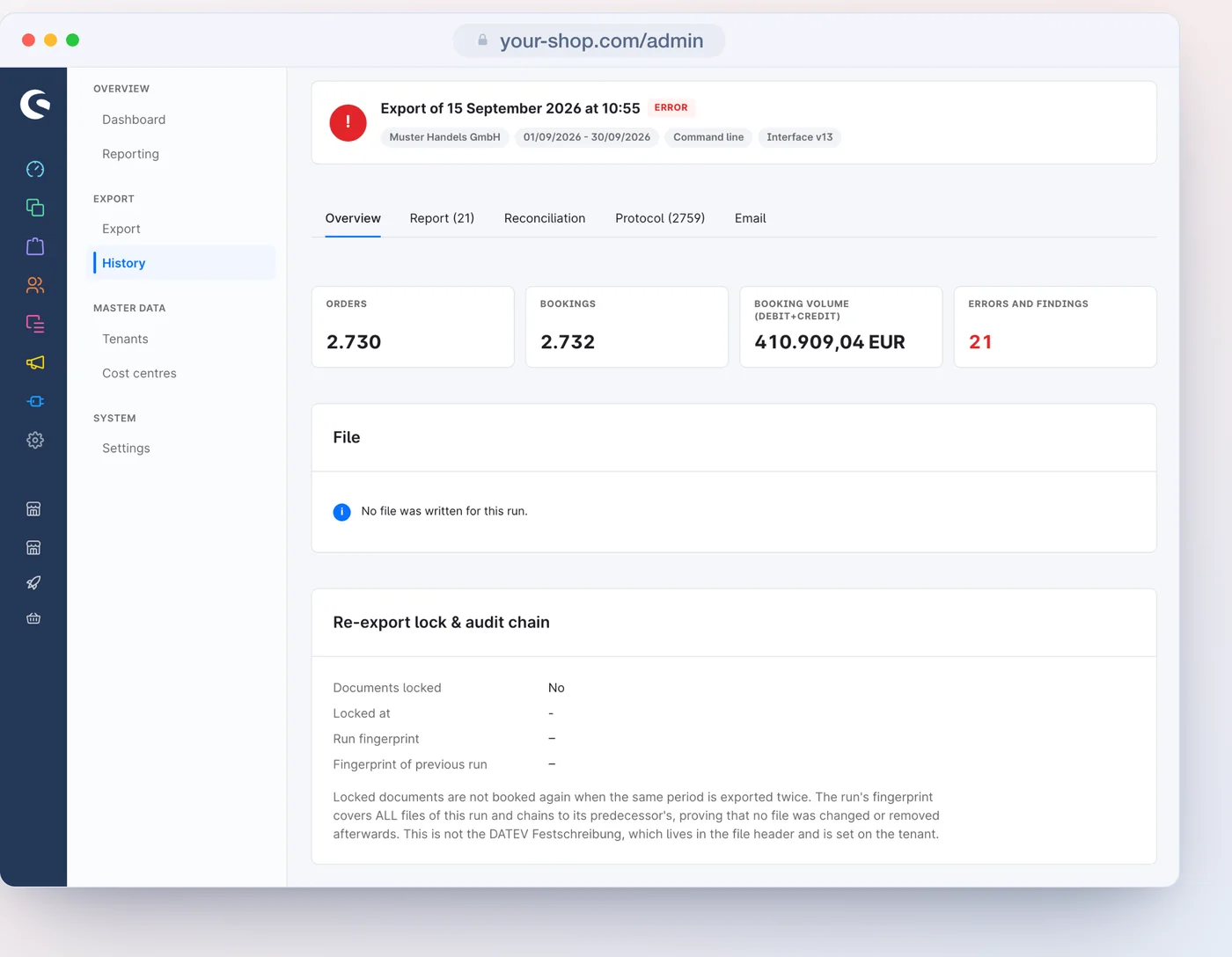
If an error stops the run, no batch is created, not even half of one. Nothing is locked and nothing is added to the chain. The check report and the protocol still remain in the history, so it is clear what was missing.

A blocked run: no file, the check report names the reason
Protocol

Every line is there, even without a file.

The protocol answers the question "why?". For every document it shows the outcome with its reason: booked with tax case, date and accounts; skipped as a duplicate, as a superseded invoice or outside the period; blocked with the error.

  • Tiles filter by outcome; the search finds order and document numbers.
  • The first line records the settings the run calculated with.
  • The "DATEV" tab on every order shows what was exported for it and what a run would decide now.
Protocol of a run without a file, with one line per document
Reconciliation

The run checks itself.

The check report says whether what was booked is right - the reconciliation, whether it is complete. Four checks, each with its result.

Completeness

Of the documents in the period: how many booked, how many already in an earlier run, how many not, how many deliberately excluded.

Exclusions

Which orders have the custom field "Exclude from DATEV export" set.

Cancellations without a correction

Every cancelled order whose invoice is already booked has its cancellation or credit note.

Previous run

If the volume jumps noticeably compared with the previous run, it is flagged.

"Not booked" is not automatically an error: a document for 0.00 or a superseded invoice belong there, and the protocol names the reason for each. What an earlier run already booked is counted separately.

GoBD

Locked, chained, nothing twice.

What a binding export has written cannot be quietly changed and cannot be quietly repeated.

Lock

The documents of a binding run are recorded. By default a new export of the same period only takes stragglers, such as invoices created afterwards; on the tenant this can be changed under "Already exported documents".

A fingerprint per document

Every locked document carries a fingerprint of its lines. If the shop differs from it later, it shows as soon as the same period is exported again.

Hash chain

Every binding run forms a SHA-256 fingerprint across its booking and master data files and chains itself to its predecessor with it; the document packages carry their own checksums. That shows if a run or a file is missing or has changed afterwards.

This is the plugin's own chain. The freeze in DATEV is a flag in the file header that you set on the tenant.

History

Every run stays findable.

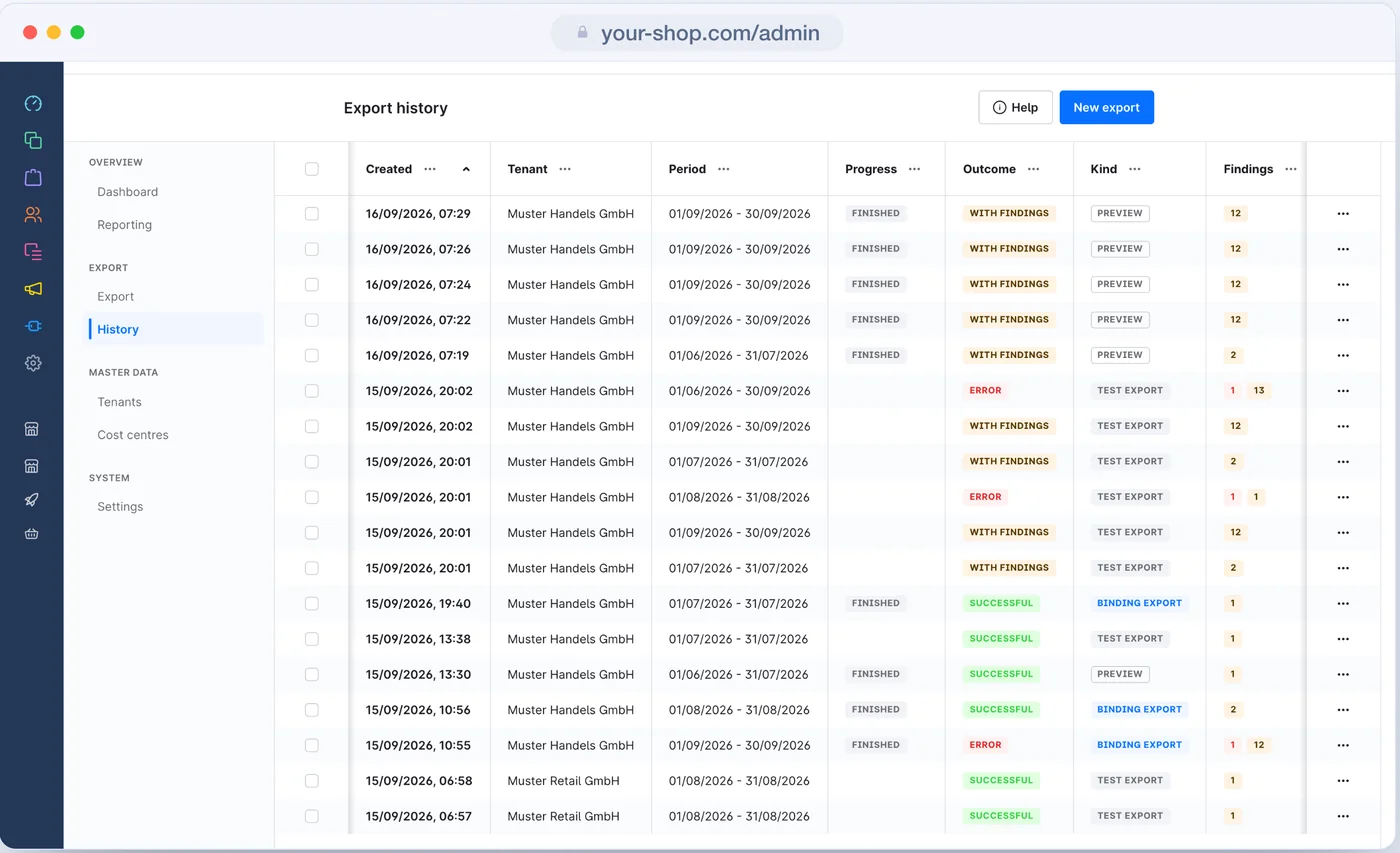
The history lists every run with period, progress, outcome, kind and findings. Files and document packages can be downloaded again at any time, every file with its own checksum.

The "Email" tab shows what went out for a run: recipients, attachments with size, the delivered wording and, per address, whether the mail went out.

The history with every run, its period, progress, outcome, kind and findings
Questions

What gets asked before the first export.

Can I take back a binding run?

Yes: in the history, through the "…" menu at the end of its row, with "Give up as a test run". File, check report and protocol stay, its documents count as not exported again and come along with the next export. If it was not the most recent run, the hash chain shows a gap at that point. If the file has already been booked at the tax firm, discarding changes nothing about that - agree it beforehand.

What happens if an exported invoice is changed later?

Every exported document carries a fingerprint of its lines. If you export the period again and something in the file has changed (amount, account, tax key, date, even the posting text), the run stops: the correction belongs in the next export as a credit note or cancellation. If only the cost centre or the personal account has changed, the document is skipped with a note and the file is created.

How does the tax firm find the source of a booking?

Through the document number in document field 1, the link to the document image in field 20 and, if switched on, the order number in field 95. In the shop, the "DATEV" tab on every order shows what was exported for it.

More in the manual

Accounts and debtors

Revenue, cash, shipping and voucher accounts, the four ways to the debtor and the cost centres.

Export and history

Period, preview, test export and export, the running run and the history.

All settings

Every setting on the tenant and the global switches, with default and effect.

Glossary

Booking batch, general reversal, freeze and the other words from DATEV and Shopware.